
Holiday Shipping 2026: Compare Rates Fast, Avoid Delays, and Ship Gifts On Time
Updated: Oct 19
The U.S. holiday rush starts in October—and so do lines, price checks, and surprise delays. Skip the courier-by-courier shuffle. With Kaebox, you can compare real USPS, UPS, FedEx, and DHL options side-by-side. Print (or have the driver print) your label, book pickup, and track every gift in one place.
Start now: Web Shipping Dashboard · iOS · Android · Ask the Kaebox AI Assistant

What Makes Holiday Shipping Hard—and How Kaebox Fixes It
Holiday shipping can be a hassle. You might face pricing each box on multiple sites, unclear delivery windows, last-mile delays, and long lines at the post office. Kaebox simplifies this process.
Kaebox Advantages
One Screen, All Carriers: Get real ETAs and all-in prices. Watch our Carrier Rate Comparison Guide on YouTube for more details.
Pickup from Your Door: No printer needed! The driver can print your label. Check our Shipping Label Printing guide for options near you.
Live Status: Track your package from scan to doorstep with our Real-Time Tracking Explainer and Instant Tracking video.
Same-Day Windows: Where available, see our Same-Day Shipping (US) guide and city posts for NYC and San Francisco.
Tip: If a “today” pickup window appears for your ZIP, you can book same-day immediately!
Step-by-Step: Holiday Rate Comparison and Booking (5 Minutes)
Measure & Weigh: Round up each gift to the next inch and ounce.
Open the Kaebox Dashboard (or iOS/Android app).
Enter Addresses: Use the Address Book; see our quick tutorial on YouTube.
Compare Options: USPS, UPS, FedEx, and DHL appear with ETA windows and total prices (including surcharges and holiday peaks).
Choose Pickup: The driver prints the label on arrival, or Drop-off: Check kiosk options if you need after-hours in Los Angeles.
Add Insurance: Optional, then Pay.
Track Live: Set custom alerts for your recipient.
Watch Next:
Create a label in minutes → YouTube: Kaebox Create Label
Customize delivery notifications → YouTube: Customize Notifications
Add insurance in checkout → YouTube: Add Insurance
Quick Decision Rules (So You Don’t Overthink It)
Under 1 lb, Small Box/Padded Mailer: Postal options often win on price; choose the cheapest that meets your ETA.
2–10 lb to Nearby Zones: Compare USPS Priority vs. ground services; pick the earliest guaranteed day within your budget.
Bulky/Light Gifts (Volumetric): Carriers may price by size; try a smaller box or poly mailer.
Last-Minute (Today/Tomorrow): Check same-day or local courier availability; see our Best On-Demand Shipping Apps rundown.
International Gifts: Use Kaebox customs automation or GlobalPost Plus for predictable hand-offs and better tracking.
How to Avoid Holiday Delays (Starting in October)
Ship Earlier Than You Think: Carriers add volume caps and weather buffers each year—send gifts the moment you have them.
Book Pickups in Morning Windows: Morning hand-offs increase same-day processing odds.
Pick “Today” When Shown: If Kaebox shows a same-day pickup slot for your ZIP, take it!
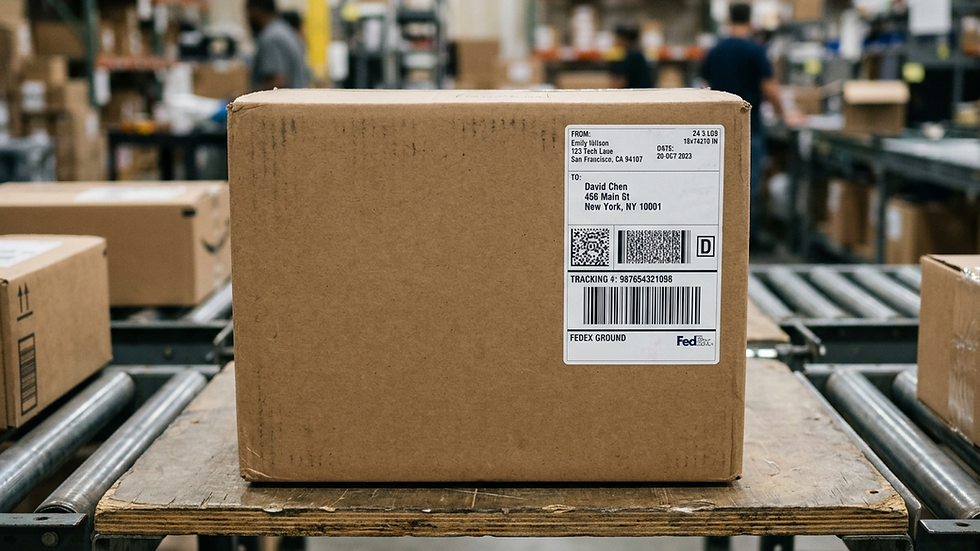
Label Clarity Matters: Clean, scannable labels reduce mis-sorts. If you’re label-less, let the driver print at your door.
Track Proactively: Set alerts and share the tracking link. If tracking isn’t updating after drop-off, follow our step-through guide.
Use Notifications: Kaebox lets you customize SMS/email for every milestone.
Saving Money Without Missing the Day
Compare All Four Major Carriers: Holiday surcharges vary by service level and zone. Check Discounted Rates (2026) for a plain-English comparison featuring Kaebox Ship.
Right-Size the Box: Small dimension changes can reduce volumetric weight tiers.
Bundle to One Recipient: One medium box can beat two smalls during peak.
Insurance Only Where It Matters: Add for higher-value gifts; skip for trivially replaceable items.
After-Hours Drop-Off?: Use kiosks where available to avoid next-day processing delays in crowded locations.
International Gifts: Make Customs Easy (and Fast)
In Customs on Kaebox, just type item names; Kaebox AI selects HS codes and e-files where supported—no extra forms.
For recipients abroad, review Best Way to Ship International Packages from the US and Same-Day International from Home for time-savers and hand-off tips.
No Printer? No Problem!
Choose Pickup—the Kaebox driver can print your label on arrival, scan, and hand off. This removes the #1 cause of missed scans: faded or misplaced labels.
Last-Minute Options (When the Calendar Gets Scary)
Same-Day (Select ZIPs): Shown right in the app if available for your address.
Local Delivery in Big Metros: See our NYC Local Delivery Options and SF Same-Day posts for what to expect and how to prepare parcels.
Smart Kiosk Drop-Off: When after-hours saves you an entire day.
Start Now (Free)
FAQs
When Should I Ship Holiday Gifts in the U.S.?
As early as possible! Volume and weather add uncertainty. If Kaebox shows a pickup window today, take it. For last-minute, check our Same-Day Shipping (US) guide.
Can Kaebox Really Compare USPS, UPS, FedEx, and DHL in One Place?
Yes! See prices, ETAs, and surcharges side-by-side, then book the best one. Watch the Carrier Rate Comparison Guide on YouTube for a quick tour.
Do I Need a Printer for Shipping Labels?
No! Choose Pickup, and the Kaebox driver can print your label on arrival. For self-printing, see our Shipping Label Printing guide.
How Do I Keep Recipients Updated Without Spamming Them?
Use Customize Notifications on Kaebox to pick which events trigger emails/SMS. Pair it with our Real-Time Tracking explainer for what each scan means.
What If Tracking Stops Updating After Drop-Off?
It’s common during peak. Use our Tracking Not Updating guide for the checklist.
What’s the Best Way to Ship Gifts Internationally?
Use Kaebox customs automation; we’ll help with HS codes and forms. For routes where it fits, GlobalPost Plus provides predictable hand-offs and tracking.
Related Kaebox Resources
Same-Day Shipping (US): https://www.kaebox.com/post/where-to-find-same-day-package-shipping-us
NYC Local Delivery Options: https://www.kaebox.com/post/best-local-delivery-options-new-york
SF Same-Day: https://www.kaebox.com/post/where-to-ship-packages-same-day-in-san-francisco
Shipping Label Printing (Guide): https://www.kaebox.com/post/shipping-label-printing-kaebox
Affordable Label Printing (2026): https://www.kaebox.com/post/where-to-find-affordable-shipping-label-printing-in-the-us-2025
LA Kiosks: https://www.kaebox.com/post/where-can-i-find-package-shipping-kiosks-in-los-angeles
Discounted Rates (2026): https://www.kaebox.com/post/who-really-offers-discounted-shipping-rates-in-the-us-br-a-2025-comparison-featuring-kaebox-ship
Best On-Demand Shipping Apps (2026): https://www.kaebox.com/post/what-are-the-best-apps-for-ondemand-shipping-in-the-us
Automate Customs Documentation: https://www.kaebox.com/post/automate-customs-documentation-international-shipping
Best Way to Ship International Packages: https://www.kaebox.com/post/best-way-ship-international-packages-from-us
GlobalPost Plus on Kaebox: https://www.kaebox.com/post/globalpost-plus-international-shipping-on-kaebox
Same-Day International from Home: https://www.kaebox.com/post/same-dayinternationalshippingfromhome
Real-Time Tracking Explainer: https://www.kaebox.com/post/how-does-real-time-tracking-work-for-parcel-deliveries-in-the-us
Tracking Not Updating: https://www.kaebox.com/post/trackingnotupdatingafterdrop-off
Ready to prepare a shipment? Compare available shipping options and create a label with Kaebox. Service availability, pricing and pickup options depend on your shipment details and location.
To compare services before you pay for postage, see compare USPS, UPS, FedEx and DHL shipping rates.
For carrier-specific details, consult official USPS retail postage calculator. Check requirements and current pricing before shipping.


Comments